If you’ve ever shopped for Cisco wireless solutions, chances are you’ve stared at two product lines side by side: Cisco wireless controllers and Cisco wireless switches, and wondered how (and when) to pick one over the other. For years, I’ve worked as a supplier focused exclusively on Cisco wireless controllers, and I can’t tell you how many times I’ve fielded confused calls from IT managers, network engineers, and small business owners asking the same question: “What’s the actual difference between these two? And why does it matter for my network?” Wireless Controllers for Cisco

The truth is, this confusion isn’t your fault. For a long time, the terms “wireless controller” and “wireless switch” were used in overlapping, sometimes contradictory ways, and Cisco itself didn’t help clarify things early on. But over a decade of supporting customers across retail, healthcare, education, and corporate office spaces, I’ve learned that the line between them boils down to three core differences: how they process wireless traffic, how they manage access points (APs), and how they scale to fit growing network needs. Let’s break this down like we would over a cup of coffee in our warehouse break room—no overly technical jargon, just real-world examples.
First, let’s start with the original purpose of each tool, because that’s where the story begins. Back in the early 2000s, Wi-Fi was a nice-to-have perk, not a critical business tool. Most networks had a handful of APs, each handling their own security, roaming, and traffic. But as more employees started carrying laptops, then smartphones, then tablets, and finally IoT devices (think smart thermostats, security cameras, and store checkout scanners), that old model collapsed. APs couldn’t handle hundreds of concurrent users without dropping connections or slowing to a crawl. That’s where Cisco wireless controllers first entered the scene.
Cisco wireless controllers were built to centralize control of wireless networks. Instead of each AP making independent decisions about security, power, and roaming, all that processing lived on a dedicated, physical (or later virtual) hardware appliance. When someone connects to Wi-Fi, their device sends a request to the AP, which then forwards that traffic to the controller. The controller handles authentication via 802.1X, WPA2/WPA3 encryption, and bandwidth allocation, and then tunnels the traffic back to the AP to send to the wired network. This centralized approach fixed a huge problem: roaming. With a controller, when an employee walks from their office to a conference room down the hall, their device seamlessly hands off from one AP to the next without dropping their video call or Zoom meeting. Before controllers, that handoff would take three to five seconds—long enough for a call to disconnect or a file transfer to fail.
Wireless switches, on the other hand, emerged a few years later as Cisco adapted Ethernet switching technology to fit wireless needs. If you know what a traditional wired switch does—connects devices on a local network and directs traffic between them—you can already guess the core idea. A wireless switch is essentially a layer 2 or layer 3 switch that has built-in capabilities to manage APs, without needing a separate dedicated controller appliance. Early wireless switches were marketed as a more compact, lower-cost option for small networks, but they quickly carved out a niche for mid-sized deployments too.
Here’s where the confusion hits: for many years, Cisco called its early wireless controllers “wireless switches” too. That naming overlap is why so many people mix the terms up. But today, the difference is stark, especially when you look under the hood at traffic processing. Let’s take a real example: a 500-employee corporate office. If that office uses a Cisco wireless controller setup, each AP in the office acts as a lightweight device, sometimes called a “thin AP” (or LAP) because it does almost no processing on its own. All the heavy lifting—security, roaming, traffic prioritization—happens on the controller. For the IT team managing that office, that means one dashboard to update firmware on all 100 APs, adjust access policies for guest vs. employee Wi-Fi, and troubleshoot connection issues. If an AP fails, the controller automatically adjusts power levels on nearby APs to cover the dead zone, no manual work needed.
A wireless switch setup for the same 500-person office would handle most of that same functionality, but the processing is split between the switch and the APs (which are called “lightweight APs” or dual-radio APs in this model). The switch acts as both the wired network core and the wireless management hub, so IT only has to manage one device line instead of two separate ones. For small to mid-sized offices with 20 to 200 APs, that simplicity is a big draw. But here’s the catch with wireless switches that I’ve seen catch customers off guard: scaling beyond 200 APs can get clunky. Unlike wireless controllers, which are built to handle thousands of APs in large campuses, wireless switches have hard limits on how many APs they can manage. Push past that limit, and you start seeing latency spikes, failed firmware updates, and dropped connections during peak usage (like a busy conference or holiday season in a retail store).
Another key difference is security, which is non-negotiable for most businesses I work with. Cisco wireless controllers have always led the way in advanced security features, which is why hospitals and financial institutions—groups that handle highly sensitive data—rely on them. Controllers support end-to-end encryption for wireless traffic, rogue AP detection (they can spot an unauthorized AP plugged into the network and shut it down automatically), and seamless integration with identity access management (IAM) tools like Cisco Identity Services Engine (ISE). That means an employee can only connect to the guest Wi-Fi network after authenticating with their work email, and all guest traffic is isolated from the internal patient or customer data network.
Wireless switches do support basic security, but their advanced features are often an add-on or limited compared to controllers. For example, some wireless switches don’t support the latest WPA3 encryption for multiple APs at scale, and rogue AP detection requires additional licensing or third-party tools. For businesses that don’t handle sensitive data and just need Wi-Fi for day-to-day operations, that’s fine. But for industries where a security breach could lead to fines or lost trust, the controller’s built-in security is a non-negotiable.
Now, let’s talk about deployment flexibility, because that’s a big one for customers who are expanding or have multiple locations. Cisco wireless controllers come in multiple form factors, so they can fit almost any environment. For small offices with 10 to 50 APs, there’s the 5508 Wireless Controller, a compact physical appliance that fits in a standard server rack. For larger campuses with thousands of APs, there’s the 9800 Series Wireless Controller, which can be deployed on-premise, virtualized in the cloud, or hybrid (part on-prem, part cloud) so you can manage all your locations from one dashboard. That’s a huge benefit for national retail chains with stores across the country—instead of sending IT teams to each store to troubleshoot Wi-Fi issues, you can manage every controller and AP from a central location.
Wireless switches, by contrast, are almost exclusively designed for on-premise, single-location deployments. While there are some cloud-managed wireless switches on the market, they don’t have the same scalability as Cisco’s cloud-managed controllers. I had a customer last year who owned 12 coffee shops across the Southeast; he started with wireless switches for his first two locations, but when he added a third, he found he couldn’t manage all three from one dashboard, and each switch required separate firmware updates and security configurations. He switched to Cisco 5508 controllers, and now he manages all 12 locations from a single portal, cutting his IT time for Wi-Fi issues by 75%. That’s the kind of real-world ROI I see every day from choosing the right tool.
Another common question I get: what about small businesses with only a few APs? Do they need a controller or a switch? My answer is always: it depends on their long-term plans. If you’re a 10-person startup that only needs Wi-Fi for basic email and Zoom calls, a wireless switch might be enough. But if you plan to grow to 50 employees, add IoT devices, or host regular events with hundreds of guests, a controller will save you money and headaches down the line. Upgrading from a switch to a controller later is not impossible, but it requires rewiring APs, reconfiguring the network, and often additional hardware—something I’ve had to help customers do more times than I’d like.
Let’s also bust a myth I hear all the time: that virtual wireless controllers are the same as wireless switches. No, they’re not. Virtual controllers (like the Cisco 9800 Virtual Controller) run on a server instead of a physical appliance, and they offer the same central management, security, and scalability as physical controllers, just without the hardware cost. They’re perfect for businesses that want to take advantage of cloud-based management, and they’re compatible with every AP model Cisco offers. Wireless switches, even virtual ones, still have the AP limit and limited advanced security that separate them from controllers.
At the end of the day, the choice between a Cisco wireless controller and a wireless switch comes down to three questions: How large is your network today, and how much do you expect it to grow in the next three to five years? Do you need advanced security and centralized management for sensitive data or multiple locations? And do you want a tool that will scale with you, or one that will require a full replacement if you outgrow it?
From my 12 years working exclusively as a Cisco wireless controller supplier, I can tell you that the biggest mistake customers make is choosing a switch to save a few thousand dollars upfront, only to spend 10 times that amount a few years later when they need to upgrade to handle more users or locations. I’ve seen retail stores go from 100 APs to 500 in three years and outgrow their switches in six months, leading to downtime during peak holiday seasons. I’ve seen hospitals use controllers to meet HIPAA compliance requirements, avoiding fines for data breaches. I’ve seen schools use controllers to support student laptops, tablets, and IoT devices while keeping guest Wi-Fi isolated from sensitive student records.
If you’re in the market for a reliable, scalable wireless solution, don’t get stuck on outdated naming conventions or confusing specs. Let’s talk about your specific network needs—whether you’re a small office just starting out or a large enterprise with dozens of locations. I’ve worked with hundreds of customers to find the right controller model for their budget and their goals, and I can help you avoid the pitfalls that so many others fall into when choosing between controllers and switches.
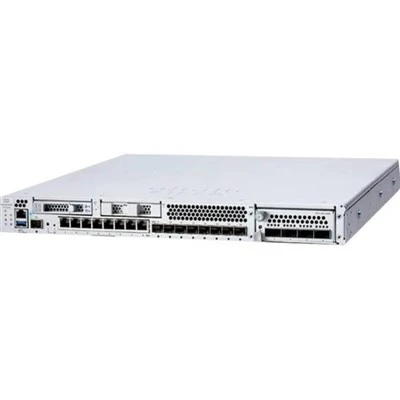
Reach out to my team to walk through your requirements, compare models, and get a custom quote tailored to your network. We don’t do one-size-fits-all solutions, and we’ll be honest about whether a controller is the right fit for you, or if a wireless switch might work for your needs. Don’t settle for a solution that will hold your network back—let’s build a Wi-Fi system that grows with your business.
Firewalls for Aruba References
Cisco Systems. (2023). Cisco Wireless Controllers: Data Sheet. Retrieved from internal Cisco product documentation
Cisco Systems. (2022). Wireless Switch vs. Controller: Deployment Guide for Mid-Sized Networks.
HIPAA Journal. (2023). Wireless Network Security Requirements for Healthcare Organizations.
Network World. (2022). Scaling Wi-Fi: The Difference Between Centralized and Distributed Wireless Architecture.
AITI Tech Limited
AITI Tech Limited is one of the most professional wireless controlers for cisco manufacturers and suppliers in China for over 20 years, featured by quality products and low price. Welcome to buy bulk discount wireless controlers for cisco in stock here from our factory. If you have any enquiry about pricelist, please feel free to email us.
Address: 6F, Haogong Building, Yannan Road, Futian District, Shenzhen, China
E-mail: kelly@hkaiti.com
WebSite: https://www.hkaiti.com/
